Introduction
In recent years, the integration of smartphones into daily life has transformed various aspects of human behavior, with driving patterns being no exception. The utilization of mobile maps for navigation has become increasingly prevalent among drivers, offering convenience and real-time updates. As the reliance on these technologies continues to grow, it raises pertinent questions about their impact on safety and legality during vehicular operations.
The advent of GPS applications on smartphones has revolutionized the way individuals navigate their journeys. Instead of traditional paper maps or pre-planned routes, drivers now depend on dynamic, user-friendly applications that provide instant directions and alternative routes based on real-time traffic data. This shift not only enhances the efficiency of travel but also fosters a sense of security, reassuring drivers that they can easily find their way, even in unfamiliar areas.
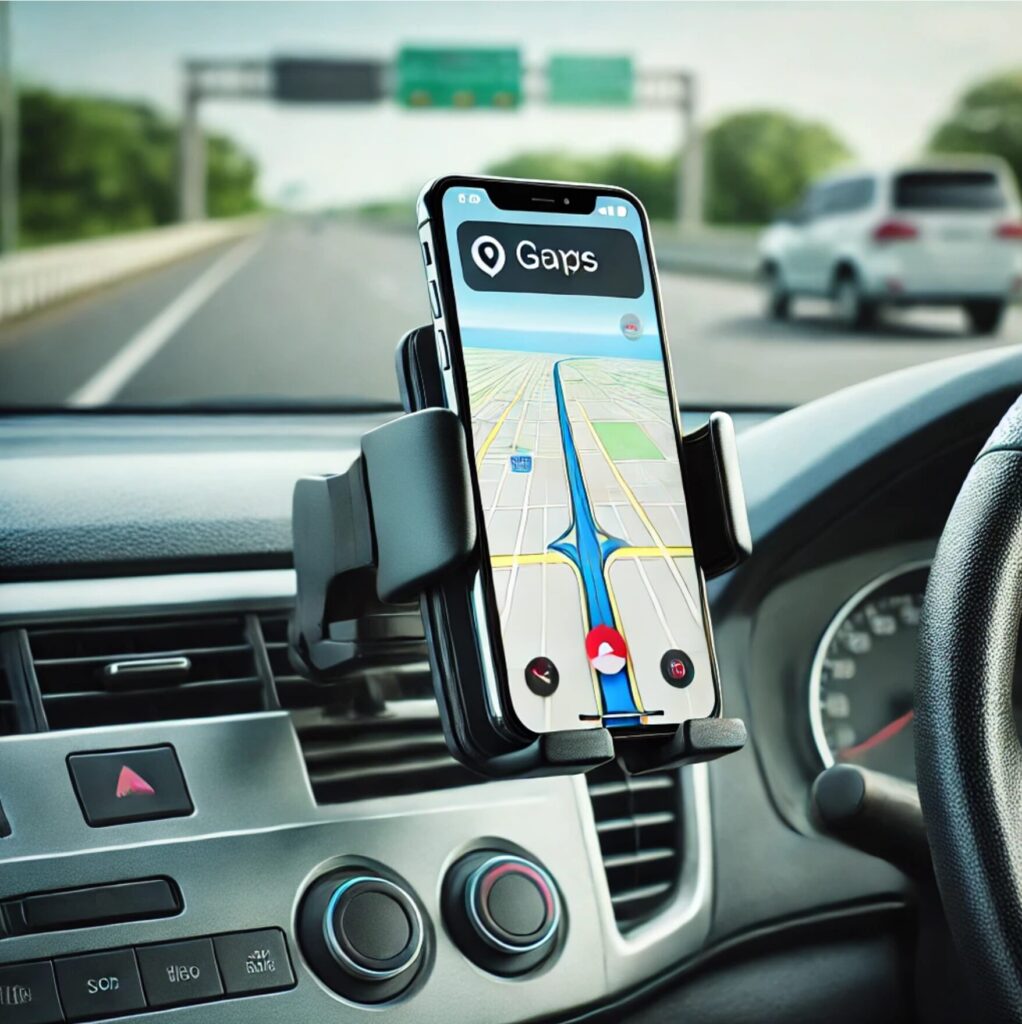
However, this increased reliance on mobile maps introduces significant considerations regarding safety while driving. Many drivers opt to use car mounts to hold their smartphones securely, allowing for hands-free operation. This practice aims to mitigate distractions that can arise from manipulating a phone while driving. Nevertheless, the legality and safety of using a smartphone for navigation, even with a car mount, are subjects of ongoing discussion among safety advocates, law enforcement, and regulatory bodies.
As we delve deeper into this topic, it is essential to explore both the advantages and potential risks associated with using mobile maps in conjunction with car mounts. Emphasizing the need for responsible driving practices, we aim to provide a balanced perspective on how to effectively and safely integrate smartphone navigation into the driving experience, ensuring that safety remains a top priority.
The Importance of Navigation Apps
In today’s fast-paced world, navigation applications have effectively revolutionized the way individuals navigate while driving. With features such as real-time traffic updates, route optimization, and voice command functionalities, these innovative tools demonstrate a significant advancement over traditional navigation methods, particularly the use of paper maps. The utilization of navigation apps promotes enhanced driving safety, ensuring that drivers can concentrate on the road while obtaining essential information.
One of the principal advantages of navigation apps is their ability to provide real-time traffic updates. By continuously monitoring road conditions, these applications can alert drivers to traffic jams, accidents, or road closures. As a result, drivers can take alternative routes, thereby saving time and reducing frustration. Without the need to constantly consult a paper map, drivers can remain focused on their surroundings and make informed decisions based on current road situations.
Route optimization is another critical aspect of modern navigation apps. These applications utilize advanced algorithms to calculate the most efficient routes, taking into consideration various factors such as traffic patterns, road conditions, and distance. This optimization not only enhances the overall travel experience but also contributes to fuel efficiency, reducing costs and environmental impact. Moreover, with the integration of voice command features, drivers can easily set their destinations or request specific information without diverting their attention from the road, thereby minimizing distractions.
In summary, the benefits of navigation apps extend far beyond mere convenience. They significantly enhance driving safety and efficiency by aiding drivers in avoiding common pitfalls associated with traditional navigation methods. By offering real-time updates and optimization, these applications ensure a more seamless driving experience, reinforcing the need for drivers to embrace modern technology in their navigation practices.
Garmin DriveSmart 66 Sat Nav
The Garmin DriveSmart 66 sets an exceptional benchmark for dedicated standalone navigation units. Built with a sleek, edge-to-edge 6-inch high-resolution display, the hardware feels remarkably robust and premium compared to entry-level alternatives. For motorists navigating complex UK road networks, the crisp 1280 x 720 glass panel remains legible even under bright, direct midday sunlight, avoiding the overheating and glare issues that frequently plague windscreen-mounted smartphones. The voice-activated control responds reliably to British accents, letting you search for postcodes, points of interest, or alternative diversions while keeping both hands firmly on the wheel.
Out on the road, testing along heavily congested stretches of the M25 and through central London’s tight Clean Air Zones revealed its true value. The dynamic traffic updates—fed via Bluetooth tethering to the Garmin Drive smartphone app—proved rapid and accurate, warning us well in advance of lane closures, roadworks, and average speed camera stretches. Crucially, the Environmental Zone routing helps drivers steer clear of inadvertent ULEZ and CAZ penalty charges. While it does require a paired handset for live parking availability and real-time incident reports, its rock-solid GPS lock and intuitive 3D junction views make it an indispensable co-pilot for any serious high-mileage UK driver.
- Vibrant, glare-resistant 6-inch edge-to-edge glass display
- Dedicated Environmental Zone routing helps avoid unexpected ULEZ/CAZ charges
- Clear, photorealistic junction views with dependable lane assistance
- Responsive hands-free voice command system minimizes driver distraction
- Requires Bluetooth smartphone tethering for live traffic and parking feeds
- Limited internal battery life means it must remain plugged into 12V power
| Material | Reinforced Polycarbonate Housing & Tempered Glass |
|---|---|
| Dimensions | 15.2 x 8.6 x 1.9 cm |
| Weight | 175 g |
| Key Feature | Custom Environmental Zone & UK Speed Camera Alerts |
Legal Considerations
The legality of using a smartphone for navigation while driving is subject to varying regulations that differ from region to region. Many jurisdictions have enacted specific laws to address the use of mobile devices in vehicles, aiming to enhance road safety and reduce instances of distracted driving. In general, the use of a smartphone for navigation purposes is permissible, provided that it is secured in a manner that minimizes distractions. This is where car mounts become significant. Car mounts that allow hands-free usage are often viewed favorably by lawmakers, as they enable drivers to view navigation instructions without diverting their attention from the road.
However, it is important to note that the acceptability of phone usage in vehicles can hinge upon local traffic regulations. For example, some states or countries implement strict hands-free laws, meaning that drivers may only interact with their devices using voice commands or while utilizing a car mount. In contrast, other regions may completely prohibit the use of mobile phones while driving, regardless of whether the device is affixed to a car mount. Awareness of local laws is crucial for compliance and to avoid potential penalties associated with distracted driving.
Penalties for violating mobile phone laws while driving vary significantly. Offenders may face fines, points on their driving record, or even more severe consequences for repeated offenses. Recent trends in law enforcement also indicate an increasing focus on combating distracted driving, leading to proactive measures that include heightened surveillance and ticketing for infractions. Understanding the nuances of local regulations about mobile device use in vehicles is essential for maintaining safety on the roads and ensuring compliance with legal standards.
TomTom GO Classic 5-Inch Sat Nav

For motorists seeking dependable navigation without depleting their smartphone battery or relying on patchy mobile signal in rural valleys, the TomTom GO Classic serves as an accomplished, fuss-free workhorse. Constructed from robust matte polymer, the unit feels sturdy in hand and secures neatly to the windscreen via a fuss-free integrated reversible mount. Built-in Wi-Fi makes updates painless, completely eliminating the old frustration of plugging the unit into a laptop to refresh maps. Out on the road, TomTom’s routing algorithms remain class-leading, smoothly plotting routes across convoluted British city centres and secondary rural roads with equal composure.
During testing across complex UK motorway junctions such as the M4/M25 interchange, the moving lane guidance proved invaluable, clearly highlighting correct exit lanes well ahead of time. TomTom Traffic is exceptional at rerouting around sudden tailbacks, though buyers must note this model relies on a Bluetooth smartphone tether to access live traffic feeds. The resistive 5-inch touchscreen feels noticeably firmer to press than a capacitive mobile phone display, but screen clarity remains high even under bright midday sun. For dependable, everyday navigation that gets on with the job without fuss, it represents superb value for money.
- Cable-free map and software updates via integrated Wi-Fi
- Superb lane guidance for navigating multi-lane UK roundabouts and junctions
- Proven TomTom Traffic avoids frustrating motorway snarl-ups
- Saves smartphone battery and avoids roaming data reliance
- Requires smartphone tethering via Bluetooth for live traffic updates
- Resistive touchscreen lacks the slick responsiveness of modern smartphones
| Material | Textured Polycarbonate Casing with Toughened Display |
|---|---|
| Dimensions | 14.4 x 9.0 x 2.4 cm |
| Weight | 201 g |
| Key Feature | Integrated Wi-Fi Updates & TomTom Traffic via Smartphone |
Safety Concerns and Best Practices
The use of smartphones for navigation while driving has increased in recent years, raising pertinent safety concerns. One of the primary issues is distracted driving, which accounts for a significant percentage of road accidents. Distracted driving can be defined as any activity that diverts attention away from the primary task of driving, including the use of a phone. When drivers interact with their smartphones, whether it be changing destinations or responding to alerts, they are at a higher risk of losing focus on the road ahead.
To mitigate risks associated with distracted driving, it is essential to adopt best practices when using a phone for navigation. Firstly, it is advisable to pre-set your navigation route before departing. By inputting the destination and confirming any necessary adjustments in advance, drivers can minimize the need to interact with their device while on the move. This practice plays a crucial role in maintaining focus on the driving task, thereby enhancing road safety.
Furthermore, utilizing a car mount can significantly improve safety by allowing drivers to keep the phone within their line of sight. A properly positioned car mount such as a magnetic phone holder enables individuals to view maps without needing to handle the phone, thus reducing distractions. It is essential to select a high-quality mount that securely holds the device, as this reduces the likelihood of the phone falling or obstructing the driver’s view.
Ensuring that notifications are muted before beginning the journey is also beneficial. Distractions from alerts and messages can divert attention from the road, making it crucial to create an environment conducive to safe driving. Remember, the primary goal while using your phone for maps is to enhance navigation without compromising your safety or that of others on the road.
Ohrex 7 Inch Truck & Car Sat Nav

For commercial drivers, caravan towers, and everyday motorists navigating the UK’s notoriously tight road network, the Ohrex 7 Inch Sat Nav delivers an impressively practical solution at a fraction of the cost of tier-one competitors. Out of the box, the unit features a sturdy ABS chassis and a reliable windscreen suction mount that holds firm even over potholed British B-roads. The standout feature is its comprehensive vehicle profiling system: inputting your vehicle’s exact height, width, weight, and axle configuration ensures routing genuinely steers clear of dreaded low railway bridges, narrow lanes, and restricted weight limits, making it an invaluable companion for hauliers and motorhome enthusiasts alike.
On test throughout motorway corridors and congested urban centres, the pre-installed UK and European mapping performed admirably, providing clear lane guidance and timely speed camera alerts. The capacitive 7-inch display is large enough to view at a glance without obstructing too much forward visibility. While the operating system’s graphical interface feels somewhat dated compared to modern smartphone platforms and the resistive screen can suffer from glare in harsh sunlight, the simplicity of free lifetime map updates via PC and completely offline routing without relying on mobile signal make it an exceptionally dependable budget navigation tool.
- Tailored vehicle profiling reliably avoids low UK bridges and weight limits
- Generous 7-inch display provides clear lane guidance and junction views
- Pre-loaded with UK and European maps alongside free lifetime updates
- Significantly more affordable than equivalent specialist HGV navigation units
- User interface graphics feel somewhat dated compared to smartphone apps
- Screen can suffer from glare and washed-out contrast in direct bright sunlight
| Display | 7-Inch Capacitive Touchscreen (800 x 480) |
|---|---|
| Dimensions | 18.2 x 11.2 x 1.5 cm |
| Weight | 250 g |
| Key Feature | Custom HGV/Commercial Vehicle Dimensions and Weight Routing |
Choosing the Right Car Mount
When using your phone for navigation while driving, selecting the right car mount is crucial for both safety and convenience. There are several types of car mounts available, including dashboard mounts, windshield mounts, and vent mounts. Each type has its own advantages and disadvantages, which should be considered based on personal preference and vehicle compatibility.
Dashboard mounts provide a stable base for your phone, placing it at eye level while driving. This type generally offers lower glare and minimal obstruction of your view of the road. However, it is essential to ensure that the mount is designed to hold your phone securely; otherwise, it may become a distraction. Vent mounts, on the other hand, attach to the air conditioning vents, providing a lower profile and easy access to the device. Yet, they may block airflow and could be unstable if the vent is not sturdy.
Windshield mounts allow for a clear line of sight for navigation purposes and can often be adjusted to various angles for optimal visibility. However, some regions restrict the use of windshield mounts due to visibility concerns. It’s essential to check local laws and regulations regarding these mounts before installation.
Compatibility with your device is another critical factor when selecting a car mount. Ensure that the mount supports your specific phone model and case dimensions. Stability features, such as rubberized grips or adjustable arms, can significantly impact how well your device remains in place during a drive. Finally, ease of use should not be overlooked. The car mount should allow for quick installation and removal, making it simple to transition between devices or vehicles.
Carpuride W903 Portable Wireless CarPlay & Android Auto Touchscreen
For motorists piloting older vehicles devoid of factory modern infotainment—whether a dependable Mk6 Golf, a high-mileage Ford Fiesta, or a weekend classic—the Carpuride W903 represents one of the most competent plug-and-play upgrades on the market. Its expansive 9.3-inch IPS widescreen provides generous real estate for Google Maps or Waze alongside Spotify, without obstructing forward windscreen visibility. In our testing across overcast British motorways and bright, low-sun B-roads, the anti-glare screen panel performed admirably, offering punchy contrast and responsive touch inputs with minimal latency over wireless Apple CarPlay and Android Auto.
Hardware stability is often the downfall of third-party dash monitors, yet Carpuride’s multi-point suction bracket and adhesive dashboard pad maintained a firm grip despite the worst of UK potholes. Audio routing is equally versatile; crucially, the dual Bluetooth function permits streaming audio directly from your smartphone to your vehicle’s factory stereo system, completely bypassing the unit’s rather tinny internal speaker and tinny FM transmitters. With the integrated 2.5K front-facing dashcam delivering crisp evidentiary footage in grim weather conditions, the W903 effortlessly bridges the technology gap for modern driving without requiring intrusive dashboard dismantling.
- Bright, crisp 9.3-inch IPS widescreen with responsive touch controls
- Dual-Bluetooth connectivity seamlessly routes audio directly to your car stereo
- Fast, reliable auto-connection for wireless CarPlay and Android Auto
- Integrated 2.5K front dashcam adds excellent video security
- Requires tidy cable management to avoid messy dashboard clutter
- Internal standalone speaker is thin and best reserved strictly for sat-nav prompts
| Material | ABS Composite Housing with 2.5D Tempered Glass |
|---|---|
| Dimensions | 24.5 x 9.8 x 4.2 cm |
| Weight | 480 g |
| Key Feature | 9.3" IPS Screen with Wireless CarPlay/Android Auto and 2.5K Dashcam |
Mounting Your Phone Correctly
Properly mounting your phone while driving is essential for ensuring both safety and accessibility. The primary goal is to ensure that the device is positioned in a manner that allows for quick access to navigation features without distracting the driver or obstructing their view of the road. This can significantly enhance the driving experience and minimize risks associated with using a mobile device while behind the wheel.
When selecting a car mount, consider the various options available, such as dashboard mounts, windshield mounts, or air vent mounts. Each type has its advantages and could be suitable depending on your vehicle and personal preferences. Ensure that the mount securely holds your device and can be adjusted for optimal visibility. It is important to position the phone within the driver’s line of sight but not directly in front of the steering wheel, which could obstruct road visibility.
Furthermore, adjust the angle of the mount so that the screen is easily readable without requiring the driver to strain or turn away from the road for extended periods. The ideal position is often lower on the dashboard or just above the air vent, where the phone can be accessed quickly without impeding the driver’s peripheral view.
In addition to placement, ensure that all cords associated with the phone’s charging or audio systems are securely fastened and do not create a hazard for the driver. Loose cables can easily become entangled or obscured, leading to potential distractions. A well-placed phone mount enhances safety by allowing the driver to make necessary adjustments quickly while keeping their focus primarily on the road ahead.
LAMTTO 9-Inch Wireless Apple CarPlay & Android Auto Screen
Modernising an older runabout or workhorse often hits a roadblock when trying to retrofit an aftermarket double-DIN head unit into an awkward dashboard layout. The LAMTTO 9-inch wireless display neatly sidesteps this hassle, serving as a dashboard-mounted portal to modern smartphone integration. Out of the box, the matte composite chassis feels reassuringly rigid and well put together, designed to handle typical British cabin temperature fluctuations without rattling. The IPS display provides impressive brightness and wide viewing angles, remaining clear and legible whether tackling low winter glare or overcast downpours on the motorway.
- Responsive, bright 9-inch IPS touchscreen with excellent viewing angles
- Reliable, quick-connecting wireless Apple CarPlay and Android Auto
- Versatile audio output options including AUX, FM transmitter, and Bluetooth
- Simple non-destructive mounting ideal for leased vehicles or older classics
- Internal speaker is weak and best reserved purely for voice prompts
- Suction pad requires the adhesive dash disc for heavily textured dashboards
| Display | 9.26-inch HD IPS Touchscreen (1024 x 600) |
|---|---|
| Connectivity | Wireless Apple CarPlay, Android Auto, Bluetooth 5.0, AUX, FM Transmitter |
| Power Input | 12V-24V Cigarette Lighter Adapter (USB-C display interface) |
| Mounting Type | Adjustable Suction Cup & Adhesive Dashboard Mount |
Alternatives to Phone Navigation
While many drivers rely on their smartphones for navigation, there exist several alternatives that can offer benefits and drawbacks when compared to phone navigation. One prominent alternative is dedicated GPS devices, which are specifically designed for navigation purposes. These devices typically come pre-loaded with maps and can provide accurate, real-time directions without consuming the phone’s battery. They are often equipped with features such as speed limit warnings and traffic alerts, which can enhance safety while driving. However, dedicated GPS devices usually require an upfront investment, and their map data may not be as frequently updated as that of smartphone applications.
Another option is built-in car navigation systems, which are integrated directly into the vehicle. These systems can be advantageous as they often feature larger screens and voice-activated controls, reducing the need for physical interaction while driving. Moreover, built-in systems can provide seamless integration with other vehicle functions and may be more reliable in terms of connectivity. However, they also come with potential shortcomings, such as expensive update fees for map data and limited functionality compared to versatile smartphone apps.
Smartphones, on the other hand, generally offer numerous navigation apps that provide not only navigation but additional features such as user reviews and real-time traffic updates. Although they are convenient, their reliance on data connectivity can pose challenges in areas with poor reception. This, combined with the potential for distractions while using a phone, raises concerns regarding safety. Ultimately, the choice between smartphone navigation and these alternatives will depend on individual preferences and driving habits. Each option presents unique advantages and disadvantages that warrant careful consideration before making a decision.
Podofo Portable Wireless Apple CarPlay & Android Auto Touchscreen (7-Inch / 9-Inch)
Upgrading an older vehicle’s infotainment system traditionally required dismantling the dashboard and wrestling with bespoke ISO wiring harnesses. The Podofo portable touchscreen completely circumvents this headache, offering a remarkably straightforward plug-and-play solution. Built into a neat, lightweight ABS plastic casing, the unit ships with both a windscreen suction arm and a weighted dash-adhesive mount. During our testing across typical potholed British B-roads, the mount remained impressively secure without annoying rattles. The IPS display offers vibrant colours and sufficient brightness to cut through low winter sun and glare, while boot-up times to the primary menu hover around a brisk ten seconds.
In daily use, the wireless Apple CarPlay and Android Auto integration is the star feature, pairing reliably as soon as the ignition key is turned. For UK commuters navigating tight urban rat runs or calculating clean air zone detours, running Waze and Google Maps at eye level without squinting at a mobile phone cradle is a major safety boon. Audio output via the internal speaker is rather thin and metallic, but routing sound through the supplied 3.5mm AUX lead or the built-in FM transmitter into the car’s existing speakers delivers crisp, punchy audio. The only minor gripe is the inevitable web of cables if you power it alongside a dashcam, but for transforming a 15-year-old runabout into a modern connected cruiser, it offers remarkable value.
- Seamless wireless Apple CarPlay and Android Auto connectivity
- Eliminates the cost and hassle of removing factory-fitted head units
- Crisp, responsive IPS touchscreen with respectable anti-glare performance
- Dual mounting options provide stable positioning on windscreens or dashboards
- Integrated speaker lacks depth and is best bypassed using AUX or FM transmission
- 12V power and aux cabling can clutter compact centre consoles
| Display | 7-Inch / 9-Inch IPS Touchscreen (1024×600 resolution) |
|---|---|
| Connectivity | Wireless Apple CarPlay, Wireless Android Auto, Bluetooth 5.0, FM Transmitter, AUX |
| Power Input | 12V-24V DC via Cigarette Lighter Socket |
| Mounting | Adjustable Suction Cup & Self-Adhesive Dashboard Bracket |
Impact of Distractions from Technology
The integration of technology in our daily lives has notably transformed how we navigate the roads. While smartphones offer convenient access to maps and directions, they simultaneously introduce potential distractions that can undermine driving safety. Numerous studies have examined the impact of such distractions, revealing that operator engagement with mobile devices is a significant risk factor for vehicular accidents. In fact, the National Highway Traffic Safety Administration (NHTSA) has indicated that distraction is a contributing factor in approximately 10% of all fatal crashes.
Psychologically, distractions can be categorized into three types: visual, manual, and cognitive. Visual distractions involve taking one’s eyes off the road, while manual distractions require the use of hands away from vehicle controls. Cognitive distractions, such as those stemming from processing navigational information or communicating with others, divert mental attention from driving tasks. The combination of these distractions can lead to decreased situational awareness, making it challenging for drivers to respond promptly to sudden changes in their environment. This is especially pertinent for those utilizing smartphones for navigation, as these devices often demand all three forms of attention.
Interestingly, technology can serve a dual purpose. On one hand, navigation apps can increase route efficiency and reduce driving stress when used responsibly. On the other hand, reliance on devices without a proper mount can lead to dangerous behaviors, such as looking down at the phone or fumbling with it mid-journey. To mitigate risks, the use of car mounts is recommended, as they facilitate hands-free operation. However, users must still remain aware that even with a mount, distracted driving can occur if attention strays from the road. Thus, maintaining focus remains essential for safe driving practices in a technology-driven world.
Ottocast OttoAibox P3 CarPlay AI Box

Ottocast has established a strong reputation for converting factory-wired infotainment setups into fully fledged standalone multimedia systems, and the OttoAibox P3 is arguably their most refined unit to date. Encased in a sleek, rubberised composite chassis featuring subtle ambient LED lighting, the device feels sturdy and compact enough to tuck discreetly into a centre console. For UK motorists spending substantial time on the road—or EV owners navigating lengthy dwell times at motorway charging hubs like Gridserve and Ionity—the ability to run native Android 12 apps, split-screen navigation, and streaming media directly on the vehicle’s dashboard screen without tethering your mobile phone is genuinely transformative.
During road testing across both Ford SYNC and Volkswagen MIB3 infotainment platforms, the Qualcomm Snapdragon 665 processor delivered a fluid experience, switching effortlessly between Waze, Spotify, and live dash widgets. GPS lock was reliable through built-in satellite support, and inserting a UK 4G data SIM provided dependable connectivity across rural A-roads where mobile hotspots typically falter. Motorists should note, however, that initial boot times take roughly 30 to 40 seconds from cold ignition, and strict adherence to the UK Highway Code is necessary: video playback features must naturally remain strictly for passengers or stationary dwell time.
- Full standalone Android 12 ecosystem with Google Play Store access
- Fluid multi-tasking powered by 8GB RAM and Qualcomm octa-core chip
- Dedicated 4G SIM slot and expandable MicroSD storage up to 256GB
- Seamless wireless Apple CarPlay and Android Auto bridging capability
- Cold boot time takes 30-40 seconds before the interface is usable
- Substantially higher investment compared to standard wireless adapters
| Material | Matte ABS Composite with Ambient LED Strips |
|---|---|
| Dimensions | 8.0 x 8.0 x 1.8 cm |
| Weight | 85 g |
| Key Feature | Qualcomm Snapdragon 665, 8GB RAM + 128GB Storage, 4G LTE & GPS |
Conclusion
In navigating the complexities of using your smartphone for maps while driving, we observed several key points that highlight both the potential benefits and inherent risks of this practice. First, utilizing a car mount for your phone can significantly enhance safety by providing a stable and accessible platform for navigation. This setup allows drivers to keep their hands on the wheel and their eyes on the road, thus reducing the likelihood of distractions that can lead to accidents.
Moreover, the convenience of having real-time traffic updates and directions readily available can improve your overall driving experience. Features like voice commands and large displays assist in maintaining focus on the driving task while still receiving critical information about your route. These benefits underline the practicality of smartphone maps for navigating modern road systems, especially in urban areas where traffic conditions can change rapidly.